Best To-Do Apps for ADHD
There is no single best to-do app for ADHD. The right one depends on what gets in your way: a list that is too long to start, losing track of time, or a big task you cannot break down.
This page compares six apps and a plain paper list on what each one is, where it runs, what it costs, and who it fits. I make one of these apps, 3 Things, so read this list knowing that. I say below who 3 Things is not for, and when another option fits better.
A to-do app is a tool for organizing tasks. It is not a treatment for ADHD, and nothing on this page is medical advice.
The short answer
- A long list stops you from starting: try a very short list. 3 Things (three slots a day) or paper.
- You lose track of time: try a visual day planner with timers, like Tiimo.
- A big task feels impossible to start: try Goblin Tools, which breaks a task into small steps.
- You need projects, many lists or a team: try Todoist or TickTick.
- You use only Apple devices and want to pay once: try Things.
Comparison table
Facts from each app's official website and store listings, checked on 6 October 2026. Prices are US prices and can change.
| Option | What it is | Runs on | Price | Fits people who |
|---|---|---|---|---|
| Todoist | Full task manager with projects | Android, iPhone, iPad, Mac, Windows, Linux, watches | Free plan; Pro $6.99/month or $59.99/year (US App Store) | Need many projects and lists |
| TickTick | Task manager with Pomodoro timer and habit tracker | Android, iOS, Windows, Mac, Linux, web | Free plan; Premium $49.99/year | Want tasks, timer and habits in one app |
| Tiimo | Visual daily planner with focus timer | iOS, Android, Mac, web | Limited free version on iOS and Android; Tiimo Pro, price shown at checkout | Think in time blocks and pictures |
| Goblin Tools | Set of small single-task tools, like a task breaker | Web, iPhone, iPad, Mac, Android | Website free; mobile apps are a small paid download | Get stuck on where to start a big task |
| Things | Task manager for Apple devices | Mac, iPhone, iPad, Apple Watch, Vision Pro | Pay once per device: $9.99 iPhone, $49.99 Mac | Use only Apple devices |
| 3 Things | Daily list with exactly three slots | Android, iOS | Free to download; optional Pro subscription | Freeze in front of a long list |
| Paper | A sheet of paper or a notebook | Anywhere | Free | Want no setup and no notifications |
The options, one by one
1. Todoist
Todoist is a full task manager: projects, reminders, and "Smart Quick Add", which reads dates from what you type. It runs on almost every device. The free plan, "Beginner", includes task reminders.
Fits: people who need to keep many projects in one place and like to organize.
Limit: the free plan stops at 5 personal projects, and features such as custom reminders and task duration are Pro. The more you can organize, the more time you can spend organizing instead of doing.
Official site: todoist.com
2. TickTick
TickTick combines a task list with a Pomodoro timer (work in 25-minute intervals), a habit tracker, and an Eisenhower Matrix view. Dates can be typed in plain language, with reminders.
Fits: people who want tasks, a focus timer and habits in one app, on every platform.
Limit: the free plan allows 9 lists and 99 tasks per list. It has many features, and that means more setup and more screens to choose from.
Official site: ticktick.com
3. Tiimo
Tiimo is a visual daily planner. Your day is a color-coded schedule, with a focus timer that shows time passing, and an AI planner that turns a thought into a step-by-step plan. Tiimo's own pages say it was co-designed with ADHD and autism experts.
Fits: people who think in time blocks, and people for whom time passes without noticing.
Limit: most features need the Pro subscription. The free version is limited and works on iOS and Android only, and the 7-day trial applies to the yearly plan only.
Official site: tiimoapp.com
4. Goblin Tools
Goblin Tools is not a to-do app. It is a set of small tools. The best known, "Magic ToDo", breaks a task into smaller steps. Others estimate how long a task takes, or turn a brain dump into a list. Its makers say the tools are mostly designed to help neurodivergent people.
Fits: people who know what to do but not where to start. Use it next to any list, including the ones on this page.
Limit: it is built to break down and plan single tasks, not to run your whole day, and its official pages do not mention reminders. The website is free; the mobile apps are a small paid download. With an account, it keeps your lists and syncs them across devices.
Official site: goblin.tools
5. Things
Things, by Cultured Code, is a task manager for Apple devices with a "Today" list, a "This Evening" section, checklists inside tasks, and reminders. You pay once, with no subscription.
Fits: people who use only Apple devices and prefer to pay once.
Limit: no Android, Windows or web version. Each device type is a separate purchase, and only the Mac version has a free trial.
Official site: culturedcode.com/things
6. 3 Things
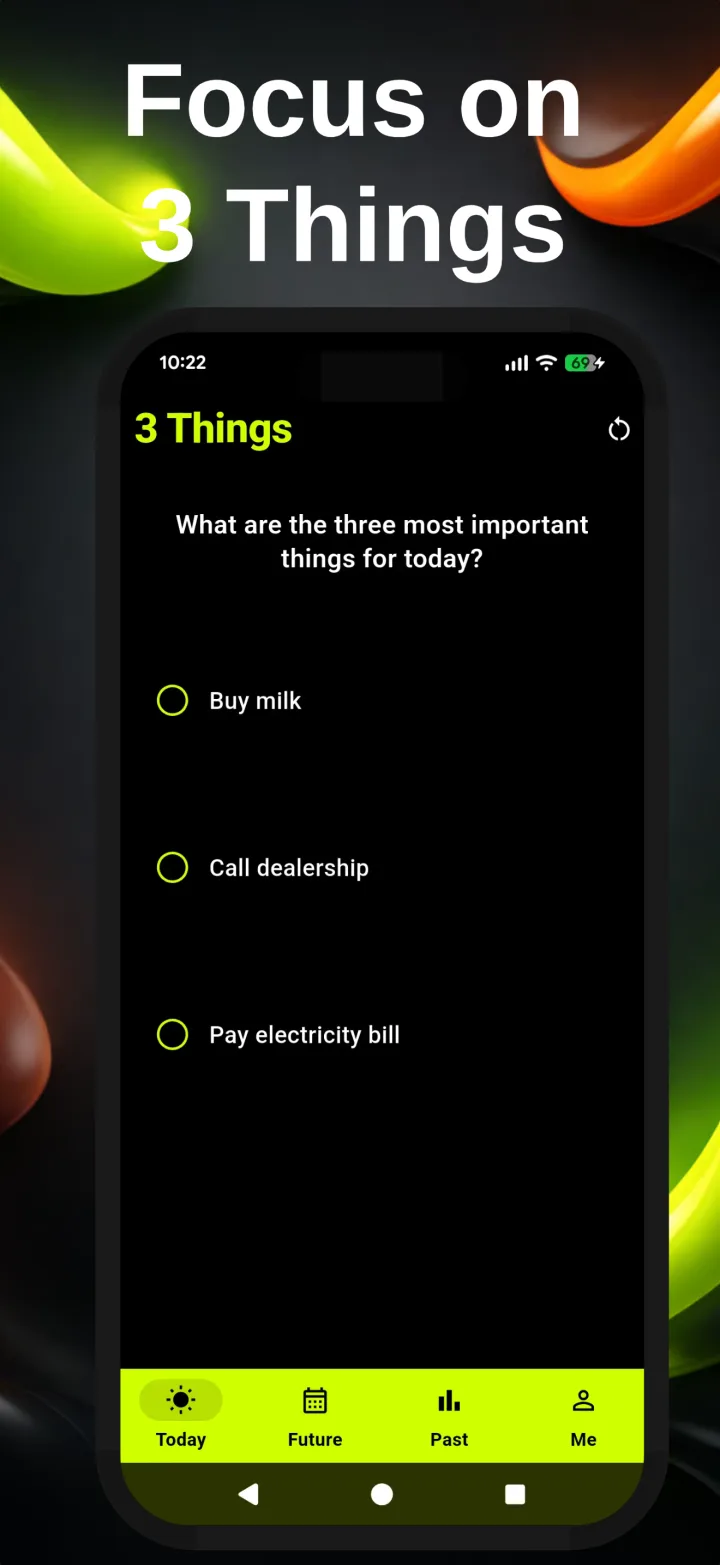
3 Things is the app I build. It does one thing: Today has three slots. There is no fourth. You pick the three tasks that matter most and finish them. To add more on the same day, you finish the day or clear it first.
Tasks you do not finish stay in your queue and move to the next day that has a free slot, so nothing gets lost and you do not copy them by hand. Your streak grows on each day you finish all three. One daily reminder, at a time you choose, tells you to plan your day. The app is based on the Ivy Lee method, a short daily priority list from 1918.
Fits: people who freeze in front of a long list, and people who want a list they can actually finish.
Not for you if you need subtasks, projects, several lists, tags, due times, or sharing with other people. 3 Things has none of these. Use Todoist or TickTick for that.
Price: free to download on Android and iOS. Today is free. An optional Pro subscription adds Future planning, full history, the Journal, and streak shields.
7. A paper list
A notebook or a sticky note is still a fair choice. It costs nothing, needs no setup, and never sends a notification. You can write three tasks on it just as well as in an app.
Fits: people who get distracted by their phone, and people who like to cross things out by hand.
Limit: paper does not remind you, does not move unfinished tasks forward, and is easy to lose.
How to choose
Ask yourself one question: what stopped you the last time a to-do list did not work?
- "There was too much on it." Choose a short list: 3 Things, which has three slots, or paper with only three tasks written on it. A short list you finish is worth more than a long list you avoid.
- "I forgot to look at it." Choose an app with reminders you can set to a fixed time. Todoist, TickTick, Things and 3 Things have reminders. Paper does not.
- "I did not know where to start." Break the first task into steps with Goblin Tools, then put only the first step on your list.
- "The day ran away from me." Try a visual planner like Tiimo that shows your day as time blocks.
- "I spent more time setting it up than using it." Choose the simplest option you can stand, and give it two weeks before you switch again.
Try a list with three slots
Free to download. Three slots on Today, nothing more.

Frequently asked questions
What is the best to-do app for ADHD?
There is no single best one. It depends on what gets in your way. If a long list stops you from starting, a very short list (3 Things or paper) may fit. If you lose track of time, a visual planner like Tiimo may fit. If big tasks feel impossible to start, Goblin Tools can break them into steps. If you need projects and many lists, Todoist or TickTick fit better.
Can a to-do app treat ADHD?
No. A to-do app is a tool for organizing tasks, not a treatment. If you think you have ADHD, or want help with it, talk to a doctor or another qualified professional.
Is a paper list better than an app?
Sometimes. Paper is free, has no notifications and no setup. An app helps when you want a reminder to write the list, want unfinished tasks moved forward for you, or want to see your history.
Is 3 Things free?
3 Things is free to download on Android and iOS. Today, with its three slots, is free. An optional Pro subscription adds Future planning, full history, the Journal and streak shields.